Introduction
A pre-call UI (also referred as Setup Screen) refers to the setup phase before joining a meeting. It involves checking audio and video settings, confirming the meeting details, and ensuring technical readiness for a smooth virtual interaction.
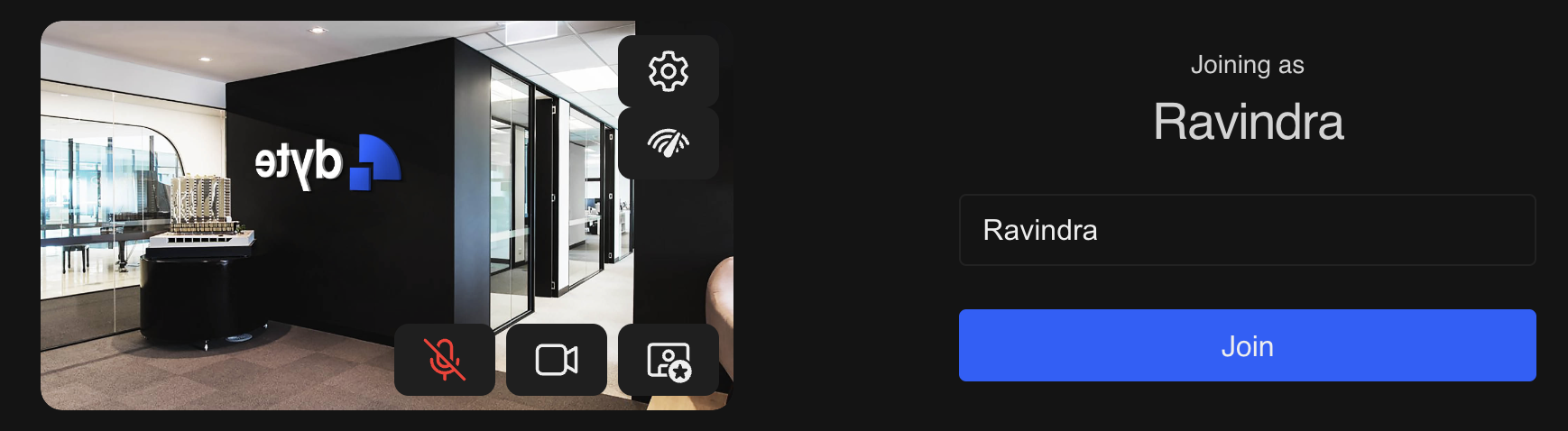
Pre-call UI in Dyte serves several important purposes:
- Device Configuration
Within the pre-call preview screen, participants can choose their preferred camera and microphone devices as to their liking. This proactive approach ensures a seamless experience upon entering the meeting, eliminating the need for users to troubleshoot while enabling camera and microphone settings during the session.
- User Privacy
Dyte offers features like virtual backgrounds or background blurring. Participants can utilize these settings to maintain privacy by preventing others from seeing their physical surroundings, especially in home or personal settings. This helps prevent any potential embarrassment later.
- Data Collection Consent
In some cases, our clients may use pre-call screens to communicate information about data collection policies or obtain consent from participants regarding the use of their information during the meeting. This transparency contributes to privacy awareness.
- Information Gathering
Utilizing pre-call screens allows participants to observe the list of participants present in the meeting, facilitating smoother introductions, interactions, and better preparation for the user.
and many more...